Why Are My Cold Emails Landing in Spam?
We've run deliverability across hundreds of client domains. Every spam-folder problem we've diagnosed traces back to one of three layers: infrastructure, reputation, and content. Here’s how to know which one broke.
By Jacob Holiday, SendtoWin CTO
7 Min Read
Direct answer: Cold emails land in spam for one of three reasons: broken infrastructure and authentication, damaged sender reputation, or weak content and engagement. We call these the three layers of deliverability. Across the hundreds of client domains we manage at SendtoWin, 70% of deliverability problems trace back to just one of these three, which means most "my emails are going to spam" panics have a single, findable root cause.
In this SendtoWin article, we’ll cover:
The three layers of email deliverability, and how to know which one broke
Why domain warmup causes most early-stage failures
How sender reputation and spam filtering actually work together (they're not two separate problems)
What to check first when replies suddenly stop
If you send cold email at any volume, you've had the experience: a sequence that was landing fine for weeks suddenly starts hitting spam. It's as if the boat had lost its direction, but it isn't. It's three layers, and once you know which one broke, the fix is usually straightforward.
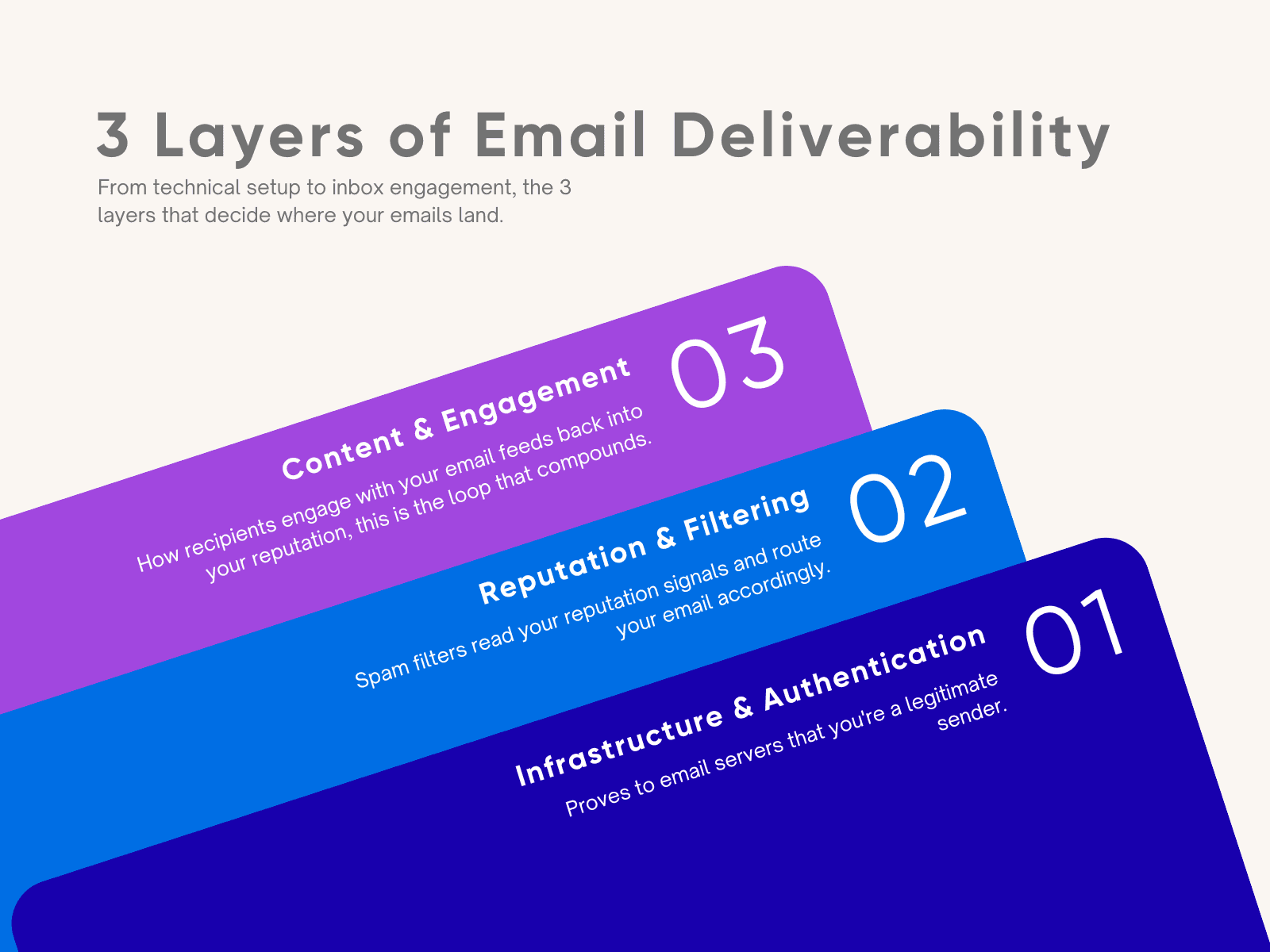
Here's each layer, in the order you’ll set it up, plus what we see when we look across our own sending data.
Layer 1: Infrastructure & Authentication
This layer proves to receiving mail servers that you are who you say you are. It includes domain authentication (SPF, DKIM, DMARC), sending infrastructure (dedicated IPs or mailbox pools, rotation), and domain age and warmup status. Get this wrong, and nothing downstream matters, mail servers won't trust you enough to evaluate anything else.
Teams tend to assume authentication is the hard part, but in practice it's the layer that's easiest to set up and get right.
What lives here:
SPF, DKIM, DMARC records configured correctly
Domain and mailbox warmup (new domains need weeks of gradual volume increase before cold sending)
Sending infrastructure: how many mailboxes, how volume is distributed across them
Domain age (brand-new domains start with zero trust, regardless of how clean everything else is)
🔧 We're building this into SendTech.
After running thousands of cold email campaigns, we know exactly what a domain needs before it's ready for real volume, we built a new deliverability and sequencing platform designed to give teams greater control over their outbound infrastructure. Access SendTech here.
Layer 2: Reputation & Filtering
We like to take reputation and filtering as one layer, not two. Spam filters don't make an independent judgment call, they read your reputation signals (overall engagement, complaint rates, bounce rates, blocklist status, sending consistency) and route the email accordingly. There's no separate "filtering step" to troubleshoot once reputation is healthy.
This is the layer that does the most damage the fastest, and it's where we spend most of our diagnostic time.
What lives here:
Sender reputation (domain-level and IP-level)
Complaint and spam-report rates
Bounce rates (hard bounces especially, they signal poor list hygiene)
Blocklist status
Sending pattern consistency (sudden volume spikes read as suspicious)
Layer 3: Content & Engagement
Once an email clears authentication and reputation checks, what happens next depends on the email itself: the copy, formatting, links, and most heavily weighted, how recipients engage with it. Replies and manual moves to a primary inbox all signal that your mail belongs there, but deleting (especially without opening it), ignoring, and spam reports signal the opposite.
This is the layer most within your control day-to-day, and the one that compounds. A domain with strong infrastructure and reputation can still degrade here if engagement drops over time, deliverability isn't a one-time setup, it's an ongoing feedback loop, and this layer is where that loop lives.
What lives here:
Copy and formatting (plain text vs. heavy HTML, spam-trigger language, link density, and images)
Personalization quality (generic blasts get lower engagement, which feeds back into reputation)
Recipient engagement signals (opens, replies, manual inbox moves)
List quality and targeting accuracy (sending to the wrong audience drives the negative signals that damage Layer 2)
FAQ
Why are my cold emails landing in spam?
It's almost always one of three things: broken authentication or unwarmed infrastructure, damaged sender reputation, or weak content and engagement signals. Identify which layer is affected and the fix is usually specific and fast.What's the difference between sender reputation and spam filtering?
There isn't a functional difference. Reputation is the signal (complaint rates, bounce rates, blocklist status), and filtering is the receiving server acting on that signal. They're one layer, evaluated together.What's the fastest way to recover a damaged sending domain?
Depends on the layer. If it's reputation (Layer 2), pause sending, clean your list, and let the domain cool down before resuming at lower volume. If it's engagement (Layer 3), the fix is usually in the copy and targeting, not the technical setup.
About SendtoWin
SendtoWin is a B2B outbound platform that helps businesses build pipeline through email and LinkedIn campaigns. Founded by leaders with backgrounds at Google and Databricks, SendtoWin combines outbound strategy, targeting, copywriting, sequencing and deliverability infrastructure to run end-to-end sales programs for companies across more than 60 industries. They offer both a fully managed done-for-you service and a self-serve platform. SendtoWin has generated more than $2.6 billion in pipeline for its clients. To learn more, visit sendtowin.com.
Ready to Build Your Pipeline?
We've helped hundreds of companies build consistent, scalable pipeline. You could be next.